
How to order
Order online in 5 steps — illustrated with real screenshots of our website.
Bank account for payment
After transferring, attach your slip on the order-complete page or the “Payment confirmation” page.
- 1
Choose a product and click “Add to cart”
Pick the options you need (e.g. connection port), set the quantity and click “Add to cart”. You can add several products before checking out.

- 2
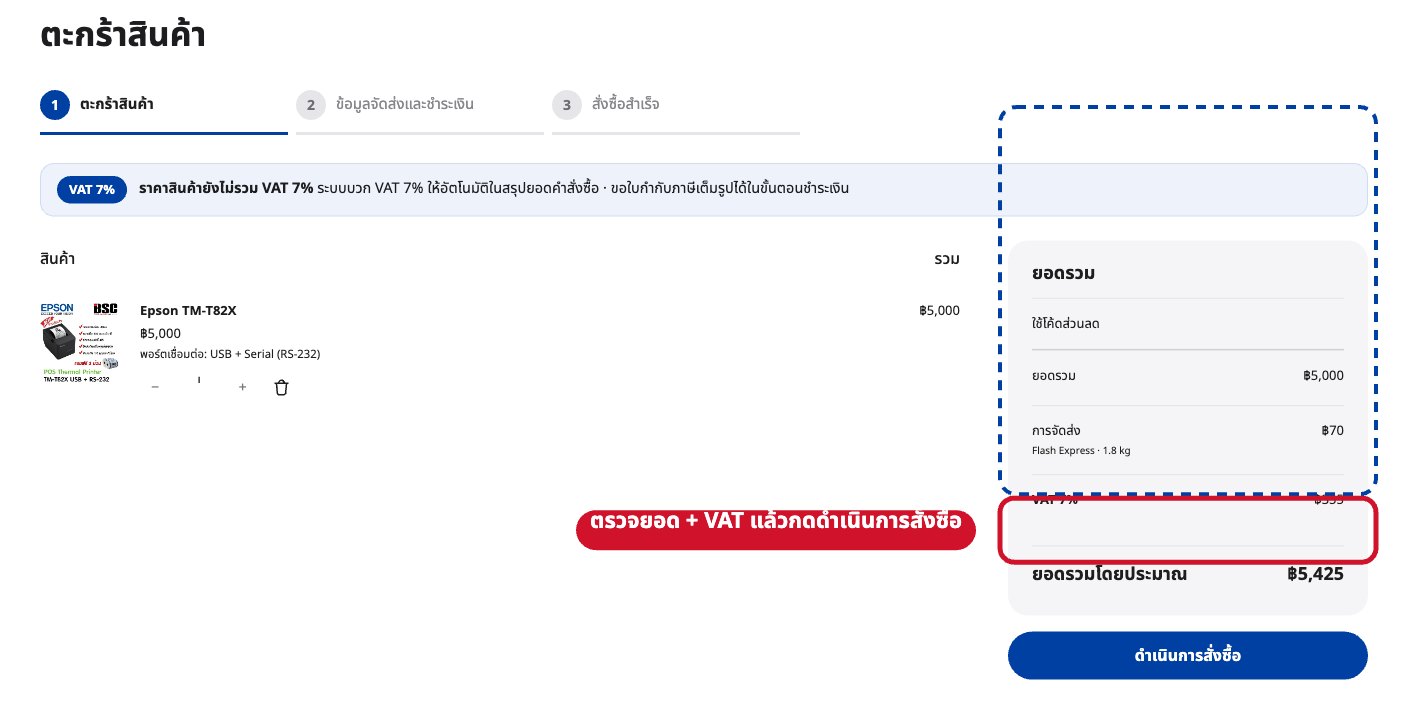
Review your cart and click “Proceed to checkout”
Check items and quantities. Prices exclude 7% VAT — it is added automatically in the order summary.
- 3
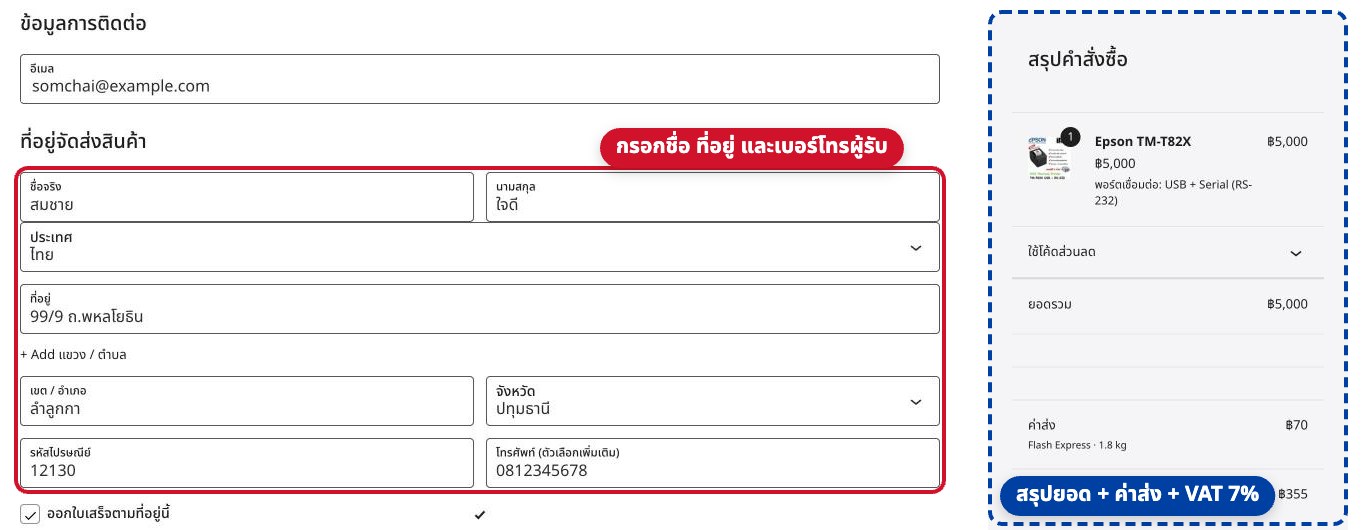
Enter contact details and shipping address
Fill in your email, name, address, province, postcode and phone. The summary on the right shows subtotal, shipping and 7% VAT.
- 4
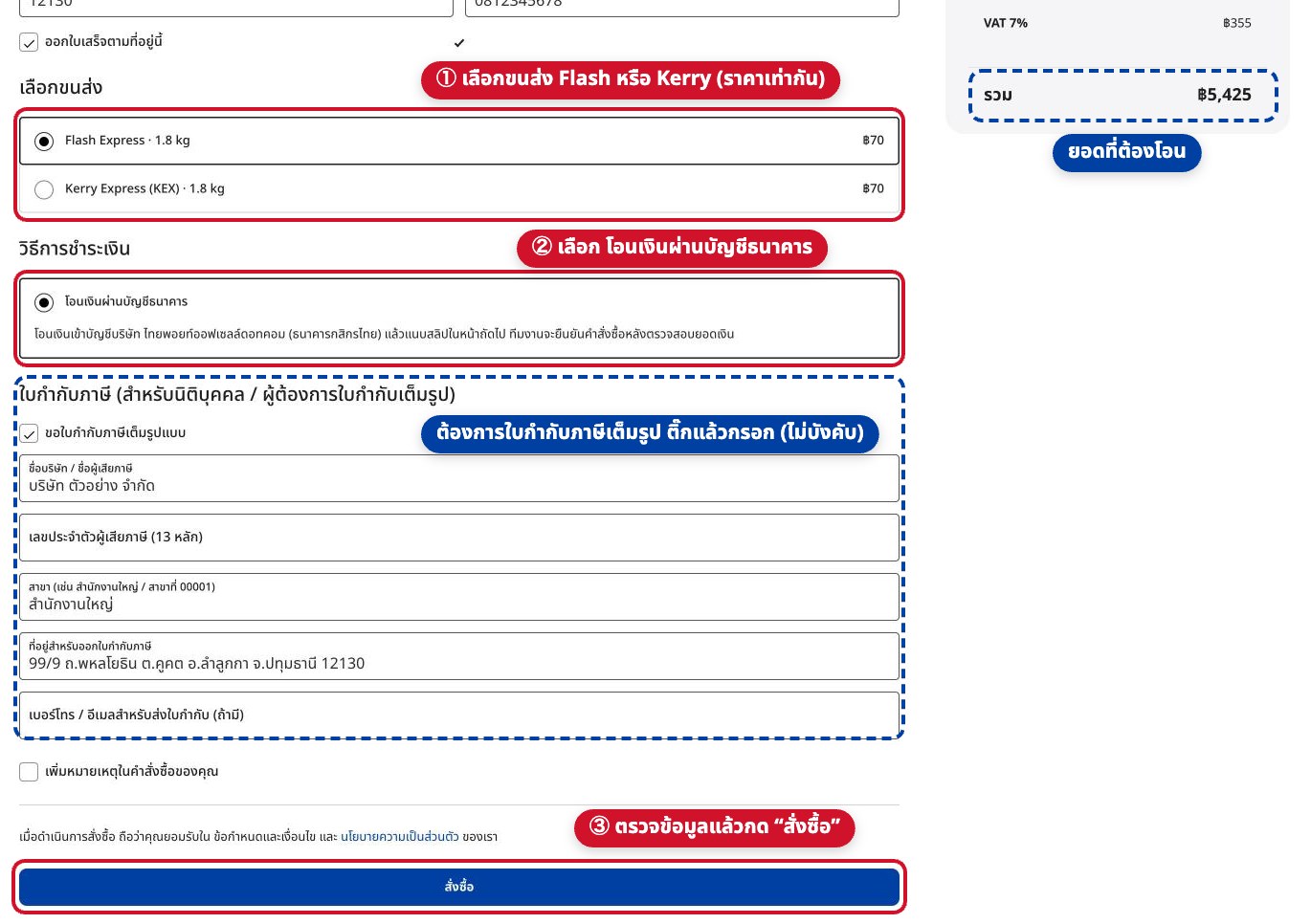
Choose courier & payment, then click “Place order”
Choose Flash Express or Kerry Express (same weight-based rate), select “Bank transfer”, tick the tax-invoice box if you need a full tax invoice, then click “Place order”.
- 5
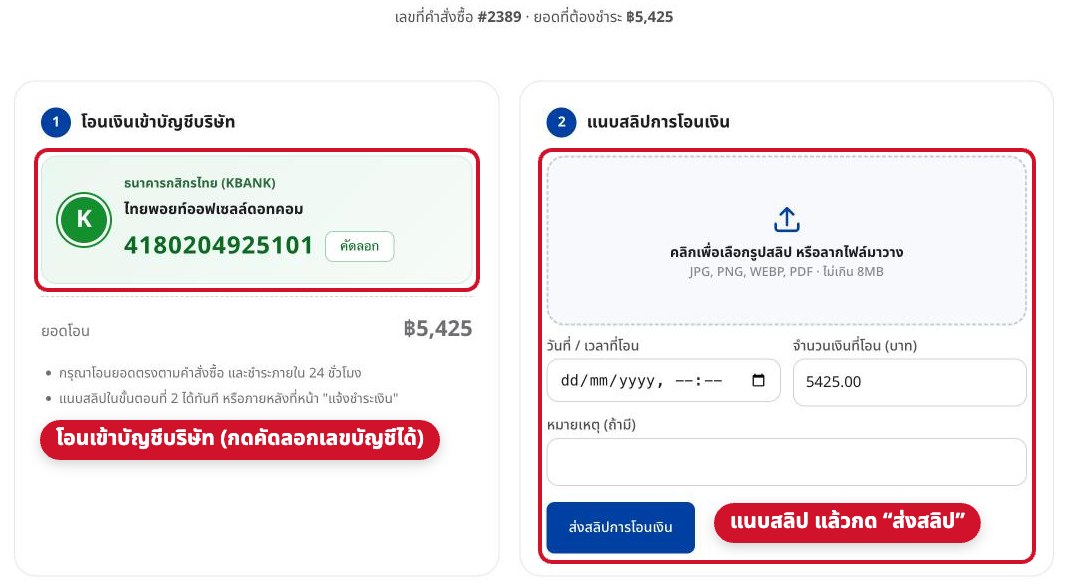
Transfer to our company account and attach the slip
The order-complete page shows our bank account and the amount due (tap to copy). After transferring, upload your slip and click “Submit payment slip” — or do it later on the “Payment confirmation” page.
- 6
We verify your payment and ship
Once we receive your slip we verify the transfer, confirm the order and ship it with your chosen courier, sending you the tracking number.